Create a profile
Age, languages, interests, and separate child lists form an independent child profile.
The child profile helps find content that is age-appropriate, safer according to trusted sources, and likely to be genuinely interesting for the child.
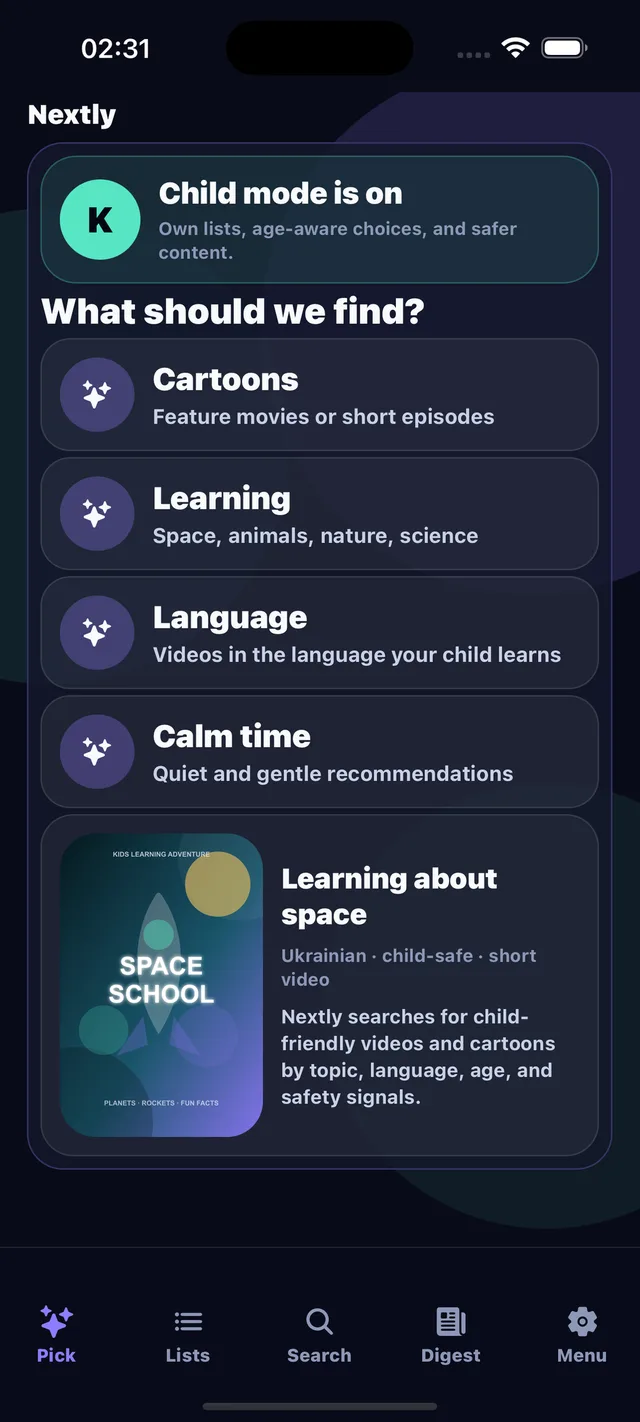
A parent chooses the topic and format, while Nextly keeps age, language, safety, and separate child lists in focus.
Age, languages, interests, and separate child lists form an independent child profile.
The model accounts for age ratings, Common Sense Media, certifications, genres, themes, and Nextly safety rules.
Child cards have a separate safety badge and explanation of why the content fits this profile.
3-5, 5-8, 8-12, and older ranges have different themes, pace, humor, and complexity.
Educational, calm, funny, adventurous, or language-focused are different scenarios, not one cartoon list.
A card should show not just a title, but why the content is safe and appropriate.